Keurig
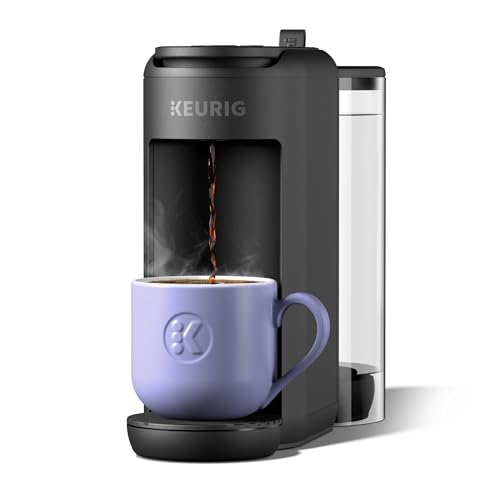
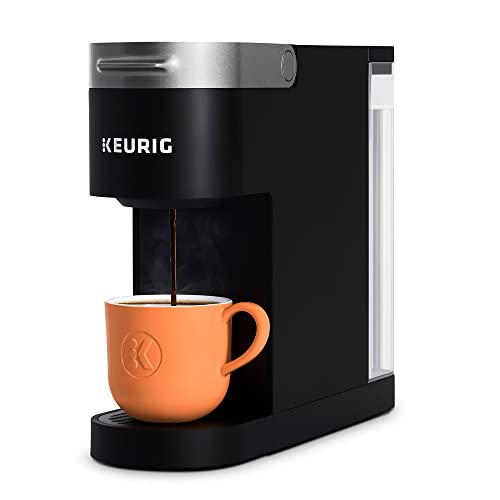
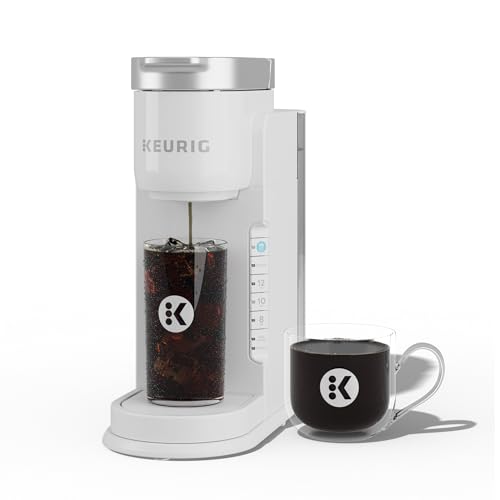
Keurig K-Supreme SMART Single Serve K-Cup Pod Coffee Maker, White | Brews 6-12oz Cup Sizes, 66oz Reservoir, BrewID Technology, MultiStream Technology, WiFi Compatible, Works with Alexa
Disclosure: We may earn a commission when you buy through links on this page, at no extra cost to you. As an Amazon Associate I earn from qualifying purchases. Learn more
Highlights
- BrewID: WiFi enabled BrewID technology, recognizes your specific K-Cup pod and customizes brew settings. BrewID technology will recommend SIGNATURE BREW settings created by the coffee experts for the most flavorful brew.
- COMPLETE CUSTOMIZATION: Personalize your cup with five strength settings (from Balanced to Intense) and six temperature settings (from Warm to Max Hot).
- MULTISTREAM TECHNOLOGY: Saturates the grounds more evenly to extract full flavor and aroma (vs. leading Keurig K-Classic brewer).
- BREW OVER ICE: Brew hot over ice for full-flavored, delicious iced coffee.
- WiFi & APP COMPATIBLE: Connecting your K-Supreme SMART to WiFi via the Keurig app allows you to brew from anywhere, schedule a brew, customize your brew settings, and create and save favorite settings via the Keurig app. It also enables you to manage your SMART Delivery via the app, so you never run out of your favorite K-Cup pods.
- FOUR BREW SIZES: 6, 8, 10, and 12 oz.
- VOICE ASSIST: Add Keurig to your morning routing using Voice Assist (Amazon Alexa or Google Home) to brew your coffee.
- CUSTOM FAVORITE SETTINGS: Save up to 10 custom settings, so it’s easier than ever for everyone in the household to enjoy their favorite cup.
- 66 OZ DUAL-POSITION RESERVOIR: Allows you to brew up to nine cups before refilling.
- BACK-TO-BACK BREWING: Immediately brew a second cup; no need to wait for reheating.
Why You'll Love It
- BrewID recognizes compatible K Cup pods and tailors brewing settings to the specific coffee
- Choose from five strength levels and six temperature settings to personalize each cup
- A 66 ounce reservoir supports up to nine cups before you need to refill
- WiFi and app controls let you schedule brewing, save favorites, and start a brew remotely
- Four cup sizes and a dedicated brew over ice option accommodate different coffee preferences
- Back to back brewing lets you prepare another cup immediately without waiting for reheating
Pros
- +Five coffee strength settings
- +Six adjustable temperature settings
- +Large 66 ounce water reservoir
- +Remote brewing and scheduling through the app
- +Supports back to back brewing
Cons
- -WiFi features require app connectivity
- -Designed around K Cup pods
- -Personalization may be unnecessary for simple coffee routines
Detailed Review
The Keurig K Supreme SMART single serve coffee maker suits people who want more control over individual cups without giving up the convenience of pod brewing. Its main attraction is the combination of adjustable brewing preferences and connected features. Rather than choosing a cup size and accepting one fixed approach, you can adjust strength and temperature, save preferred settings, and use the app to manage your routine. That makes it worth considering for households where people have different coffee preferences or where brewing needs to fit a changing morning schedule.
BrewID is central to the experience. With WiFi enabled, the machine recognizes the specific K Cup pod and customizes its brewing settings, while the app can recommend settings developed by coffee experts. MultiStream Technology is designed to distribute water more evenly across the coffee grounds, with the aim of extracting flavor and aroma. These features give buyers who enjoy exploring different pods a reason to consider this model beyond basic single cup preparation. The actual cup will still depend on the coffee pod and the settings selected, so personalization is an option rather than a guarantee that every brew will suit your taste.
Customization extends to five strength settings, from Balanced to Intense, and six temperature settings, from Warm to Max Hot. Four brew sizes, 6, 8, 10, and 12 ounces, offer a straightforward way to adjust the amount brewed. The Brew Over Ice option is intended for making iced coffee by brewing hot coffee over ice. You can also save up to ten custom settings, which is particularly useful when several people share the machine and want their preferences ready for future cups.
The 66 ounce reservoir can support up to nine cups before refilling, and its dual position design gives you a choice of reservoir placement. Back to back brewing means you can make another cup immediately without waiting for reheating. WiFi and app compatibility add remote brewing, scheduling, saved favorites, and SMART Delivery management, while voice control is available through Amazon Alexa or Google Home. These connected features add flexibility, but buyers who prefer a simple appliance may not need all of them.
The main trade off is the emphasis on individual pod based drinks and connected customization. This is not the most compelling match for someone who wants only a basic brewing process with no interest in adjusting settings or using an app. WiFi dependent functions also make connectivity part of the experience, and the four available brew sizes may not suit every preferred serving style. Verdict: This single serve coffee maker is a strong fit for pod drinkers who value adjustable strength, temperature, saved preferences, and app based convenience. If you want a straightforward cup with minimal customization or prefer a different coffee preparation format, a simpler or differently designed coffee maker may suit you better.
Who Should Buy It
A great fit if you:
- You enjoy trying different K Cup coffees and want brewing settings that can respond to the pod you select.
- Your household has different preferences, and saving individual strength and temperature choices would make shared coffee preparation easier.
- You want to schedule a brew, start one remotely, or manage saved preferences through a connected app.
- You alternate between different serving sizes and sometimes want iced coffee without choosing a separate brewing format.
- You make several cups in succession and appreciate a reservoir designed to support repeated brewing before refilling.
Consider something else if you:
- You want coffee preparation without connected features, making a simpler single serve coffee maker a more suitable choice.
- You prefer a different coffee preparation format or serving style, so a coffee maker designed around that preference may fit better.
Before You Buy
Confirm on the listing:
- Check the machine's overall dimensions and measure your intended counter space, including room for the reservoir in either position.
- Confirm that the K Cup pods you plan to use are compatible with this model, especially if you already have a preferred selection.
- Review what comes in the box and whether any additional items are needed for the setup you have in mind.
- Check the app requirements, WiFi compatibility, and voice assistant setup steps for the devices and network you already use.
How to compare your options: Start with the coffee routine you want: consider available cup sizes, reservoir capacity, and whether making consecutive cups matters to you. Then compare the amount of control you will actually use, including strength and temperature adjustments, saved preferences, and iced coffee preparation. If remote brewing and scheduling appeal to you, include app connectivity and voice assistant support in the comparison. If you only need a quick cup with a chosen serving size, prioritize straightforward operation instead of paying attention to connected features you may rarely use.
Getting the Most From It
Begin by connecting the machine to WiFi through the Keurig app if you want access to remote brewing, scheduling, saved preferences, and SMART Delivery management. Follow the setup instructions provided with the product and confirm that the connection works before relying on scheduled brewing.
Use the strength and temperature controls to find settings that suit the coffee you choose. BrewID can customize settings for a recognized K Cup pod, while its recommended settings offer a starting point. Adjust your choices according to your preferences rather than assuming one setting will suit every coffee.
Save frequently used combinations as custom favorites. This is especially practical in a shared household, since different people can return to their preferred settings without having to make the same adjustments each time. Keep the four available serving sizes in mind when choosing how much coffee to prepare.
For iced coffee, select Brew Over Ice when that is the drink you want. Take advantage of the reservoir capacity when preparing several cups, and check the water level as part of your routine. For cleaning and ongoing care, follow the manufacturer's instructions supplied with the machine rather than assuming a particular cleaning method or schedule.
FAQ
What size cups can the Keurig K Supreme SMART brew?
It offers four sizes: 6, 8, 10, and 12 ounces. This lets you choose the serving amount for each brew.
Can I use the coffee maker without the app?
The machine has app connected features, including remote brewing, scheduling, and saved settings. WiFi and the Keurig app enable those functions, so check the included operating instructions for the available controls without connectivity.
Does it make iced coffee?
Yes, it has a Brew Over Ice option. This setting is intended to brew hot coffee over ice for an iced coffee drink.
Can more than one person save their coffee preferences?
Yes, the machine can save up to ten custom settings. This helps household members return to their preferred brewing choices.
What comes with the coffee maker, and how do I clean it?
The listing does not state the complete box contents or detailed cleaning instructions. Check the product listing and included documentation for those details before buying, and follow the manufacturer's care guidance.
Product Details
| Brand | Keurig |
| ASIN | B0B5W2RM9D |