
JURA Z10 Cold Brew: Practical Guide
Disclosure: We may earn a commission when you buy through links on this page, at no extra cost to you. As an Amazon Associate I earn from qualifying purchases. Learn more

JURA Z10 cold brew guide: version codes, how the cold extraction works, a practical routine, cleaning and cheaper alternatives.
JURA Z10 cold brew is one of the main reasons people consider this premium automatic coffee machine: the Z10 makes cold brew specialties at the touch of a button instead of steeping grounds in the fridge overnight. This guide explains which Z10 versions sold in the US support it, how the feature works according to JURA's listings, and a practical routine for making, serving and cleaning up after cold brew drinks.
The short version: every Z10 version listed on Amazon US describes a cold brew process, but the menus and extras differ by generation, so check your model code before following any instructions.
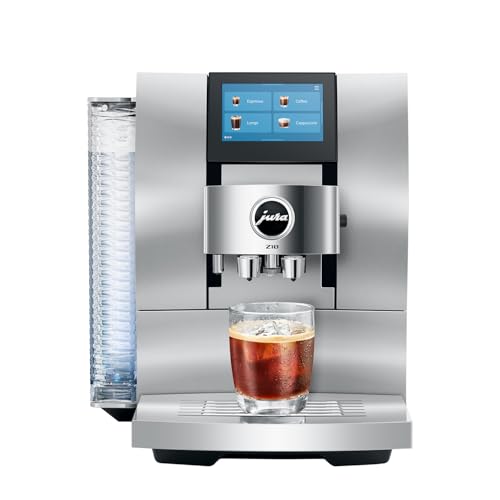
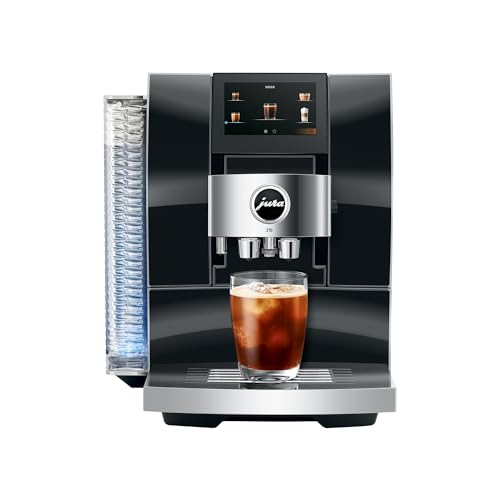

JURA Z10 Cold Brew: Does This Model Support the Feature?
Yes. All three Z10 descriptions currently listed on Amazon US include native cold brew. The earliest listings (for example code 15361 in Aluminum White) describe a Cold Extraction Process and "hot and cold brew coffee specialties" with 32 options.
Later listings (codes such as 15820 and 15822) describe a Cold Brew Extraction Process that pulses cold water through coarse coffee grounds, within 40 specialties. The newest NAB listings (codes 15792 and 15702) describe 51 specialties in four groups: Classic Hot Brew, Light Brew, Cold Brew and Sweet Foam.
That matters because this is not coffee brewed hot and poured over ice. JURA describes a cold water extraction made by the machine itself. What differs between versions is the surrounding menu and extras, not whether cold brew exists.
Verify the Version and Required Equipment
Start with the model code, which appears on the listing, the box and the type plate of the machine. On Amazon US, Z10 listings with codes 15361 and 15464 carry the 32-option description; codes 15820, 15822 and 15823 carry the 40-specialty description; and NAB codes 15792 and 15702 carry the 51-specialty description with the Smart Quartet features (Milk Assistant, Caffeine Regulator, Quality Assistant and Coffee Timer), Easy Mode and Profiles. Download the manual that matches your code from JURA's US site, since menus and maintenance prompts differ between versions.
No extra equipment is needed for cold brew itself: the Product Recognizing Grinder adjusts the grind for the chosen drink, which the 40-specialty listing describes as fine for espresso, medium for americano and coarse for cold brew. The NAB listing names a second-generation grinder (P.R.G.2+). Optional accessories exist, such as a Chocolate Attachment for mocaccino and chocolate foam on the NAB version, but they are not required for cold brew.
Keep two things separate. Cold extraction is a brewing method; serving any coffee over ice is just serving. And milk system rinsing after a drink is not the same as the machine's full cleaning or descaling programs.
A Practical Workflow
Prepare the Correct Inputs
Fill the water tank with fresh, cold water and fit the water filter your manual specifies, if you use one. Load whole beans into the bean container; the machine handles grinding, so do not add pre-ground coffee for cold brew unless your manual describes a pre-ground option for that drink. Chill your glass and have fresh ice ready if you plan to serve over ice. For milk-topped cold drinks, use cold milk and the milk container or connection your manual describes.
Select a Verified Supported Mode
Choose a cold brew specialty from the touchscreen. On the NAB version, cold brew drinks sit in their own Cold Brew group alongside Classic Hot Brew, Light Brew and Sweet Foam.
On the 40-specialty version, the 4.3 inch touchscreen and its Specialty Selection feature let you expand the drinks shown. On the earliest version, cold brew specialties are part of the 32 options. If a drink you saw online is missing from your menu, check whether it belongs to a different generation before assuming a fault.
Adjust Only Supported Settings
Adjust only what the machine offers for that drink, such as strength or volume where available, and save favorites if you like the result. The earliest listing mentions customizing, duplicating, renaming and repositioning favorites; the NAB listing mentions Profiles for different users. Keep a short note of the beans you used and the settings you saved, because cold brew can taste quite different from one roast to the next.
Serve and Finish
Serve cold brew straight, over ice, or topped with cold milk foam if your version and menu support it. Drink it fresh rather than storing machine-made cold brew for days. After any milk drink, follow the milk system cleaning prompt: all three listings mention easy or automatic milk system cleaning, with the later ones describing it as one-touch. Put milk back in the fridge and empty the drip tray when prompted.
Settings and Results You Can Assess
Documented Controls
The documented controls are the drink selection (cold brew specialties within the menu), grind adjustment handled automatically by the Product Recognizing Grinder, saved favorites or Profiles depending on version, and on the 40-specialty version an Extra Shot function for hot milk drinks. Keep three methods distinct: cold-water extraction by the machine, traditional long steeping in a jar, and hot brewing over ice. Only the first is what the Z10 describes as cold brew.
Measured or Observed Results
We have not made drinks with a Z10, so we cannot report extraction times, temperatures or taste from our own trials. JURA's listings describe the process and the menu but do not publish a strength or temperature figure for cold brew drinks. Treat any specific numbers you see online as unofficial unless they come from JURA's documentation for your model code.
What Remains Subjective
Whether machine cold brew tastes like your favorite café cold brew is a matter of taste, beans and expectations. It is designed to be quick and smooth, while traditional cold brew steeps for many hours and often tastes heavier. Try a medium roast first, then experiment with darker or lighter beans before deciding what you prefer.
Serving style changes the experience as much as the brew. Cold brew over plenty of fresh ice tastes lighter as it dilutes, while a smaller pour without ice keeps more body. A splash of cold milk or cold foam softens the flavor further. Try the same drink a few ways before you change bean or settings, so you know which variable made the difference.
Limitations and Common Mistakes
The most common mistake is following instructions written for a different Z10. Menus, grinder generations, light and sweet recipes and optional accessories vary between the 32-option, 40-specialty and NAB versions, so a step that works on one may not exist on another. Check your model code first.
Another mistake is reading a drink label as proof of a brewing method. An "iced" drink is not necessarily cold brew, and a cold drink from a different machine may simply be hot coffee poured over ice. On the Z10, use the drinks listed in the cold brew part of your menu if cold extraction is what you want.
Be honest about the extra steps. Cold milk drinks still need milk handling and milk system cleaning, iced drinks need ice and chilled glasses, and the bean container holds one bean at a time, so switching to a bean you prefer for cold brew means emptying or grinding through what is already there. Optional accessories such as the Chocolate Attachment add cleaning too.
Finally, keep perspective. The Z10 costs around $4,000 to $4,500 depending on version and finish, and cold brew is one feature among many. If cold brew is the only reason you are interested, a far cheaper method may suit you better, as explained below. If you are still deciding between an automatic machine and a simple brewer, our explainer on coffee machine vs coffee maker lays out the difference.
Cleaning and Care After Use
Separate four kinds of care. Washing removable parts covers the drip tray, grounds container and milk container, done when the machine prompts or as the manual describes.
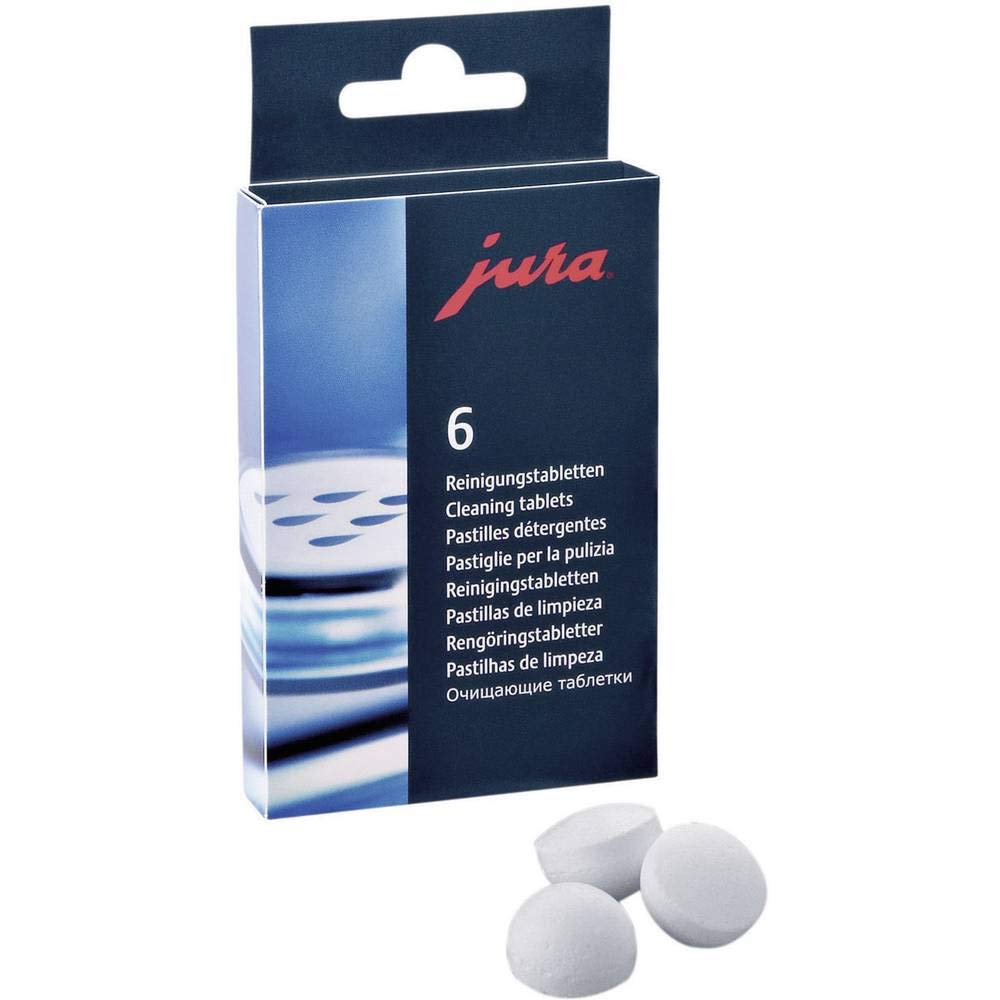
Milk care means running the milk system cleaning after milk drinks, which the later listings describe as one-touch, plus the periodic milk system cleaning with the product your manual names. Coffee path cleaning is the machine's cleaning program with JURA cleaning tablets. Descaling or filter care depends on whether you use the water filter your manual specifies.
Use only the supplies and procedures in the manual for your model code. JURA sells its own cleaning tablets and milk system cleaner, which are listed in the product table, and the machine's prompts tell you when each program is due. Do not substitute generic chemical mixtures or button sequences copied from another JURA model, since programs and prompts differ between generations.
Cold brew itself does not add a special cleaning step beyond normal use, but cold milk drinks do, so keep up with milk system care if you make iced lattes or cold foam drinks often. If the machine sits unused for a few days, follow the manual on rinsing and fresh water before the next drink.
When Another Method or Machine Fits Better
A Supported Alternative Method
If you only want cold brew occasionally, a jar or pitcher cold brew maker with coarse ground coffee and many hours of steeping in the fridge makes a large batch for very little money. The result is different from machine cold brew, usually heavier and needing planning ahead, but it costs a fraction of an automatic machine and keeps for several days in the fridge. It also lets you use any bean without emptying a machine hopper, which suits people who keep a separate bag just for cold brew.
A Different Verified Machine
If you want one-touch cold brew in a lower-priced automatic machine, De'Longhi's Eletta Explore and Magnifica Duo listings describe a Cold Extraction Technology that makes cold brew in under 3 minutes, along with cold milk foam. Our De'Longhi Eletta Explore review covers that option, and our guide to the best JURA coffee machine compares JURA models.
Frequently Asked Questions
Which generation supports this function?
All Z10 versions listed on Amazon US describe cold brew: the 32-option listings (such as 15361), the 40-specialty listings (such as 15820 and 15822) and the NAB listings with 51 specialties (such as 15792). Menus and extras differ, so match instructions to your code.
Is any extra equipment needed?
No extra equipment is needed for cold brew itself, since the machine grinds and extracts. You need whole beans, fresh water, the water filter your manual names if you use one, and ice or cold milk for serving. Optional accessories such as the Chocolate Attachment are not required.
What cleaning does this workflow require?
Plain cold brew needs only normal care: empty the drip tray and grounds container when prompted. Cold milk drinks add milk system cleaning after use. Cleaning and descaling programs run when the machine prompts, using JURA supplies named in your manual.
What should I choose if native support is absent?
If your machine is not a Z10 and lacks a cold brew program, use a jar or pitcher cold brew method for true cold brew, or choose a machine whose listing explicitly describes cold extraction. Hot coffee poured over ice is iced coffee, not cold brew.
Final Takeaway
JURA Z10 cold brew is a native, one-touch feature on every Z10 version sold on Amazon US, made by cold water extraction rather than hot coffee over ice. The practical next step is to confirm your model code, download the matching manual and use the cold brew drinks in your menu. Keep up with milk system care if you add cold foam. For other machine types see our roundup of the best coffee makers, and for general care read our coffee maker maintenance guide.


